

Table of contents
Just for you
No items found.
Introducing Merge Agent Handler: One platform to connect, govern, and monitor your AI agents



Gil Feig
Agentic AI has moved from hype to impact.
Companies are moving aggressively to build AI agents that provide transformative experiences for customers and employees. As part of this, they need to integrate their agents with the third-party applications where work actually happens.
With the launch of Merge Agent Handler, any company can now easily, quickly, and securely connect their AI agents to any third-party connector, and manage and monitor all tool interactions!
This addresses several of the challenges we see from integrating AI agents with applications:
- Lack of enterprise-ready tools: MCP servers are typically shipped for marketing purposes. As a result, the servers have gaps in maintenance, tool coverage, and documentation. In many cases, the included tools don’t match real-world needs and customization is limited, making it harder to adapt servers to specific use cases
- Harmful data leaks: LLMs can accidentally leak or misuse sensitive data when calling external tools. Without monitoring, redaction, and data loss prevention, PII, secrets, or even malicious prompts can slip into API calls or responses
- Fragmented permission models: Preventing leaks demands end‑to‑end authentication workflows, but building and operating them (rotation, refreshing, and revocation) is resource intensive and costly. Agents also often need to act on behalf of users, but isolating credentials and enforcing fine-grained permissions without breaking workflows can be difficult
Frank te Pas, Perplexity’s Head of Enterprise Product, further explains the value of using Merge Agent Handler:
“Accurate AI is Perplexity’s core differentiator, and our users increasingly expect it in all of their apps and tools. Merge allows us to meet that ballooning demand while still maintaining our strict standards of data security. With Merge Agent Handler, we can bring a broader set of data connectors to our users faster and constantly expand what our customers can do with Perplexity Enterprise Pro.”
Overview on Merge Agent Handler
Merge Agent Handler manages the heavy lifting for your integrations, including onboarding, authentication, rate limits, and error handling, while your AI agents’ underlying LLMs will still handle all of the reasoning and workflow generation.
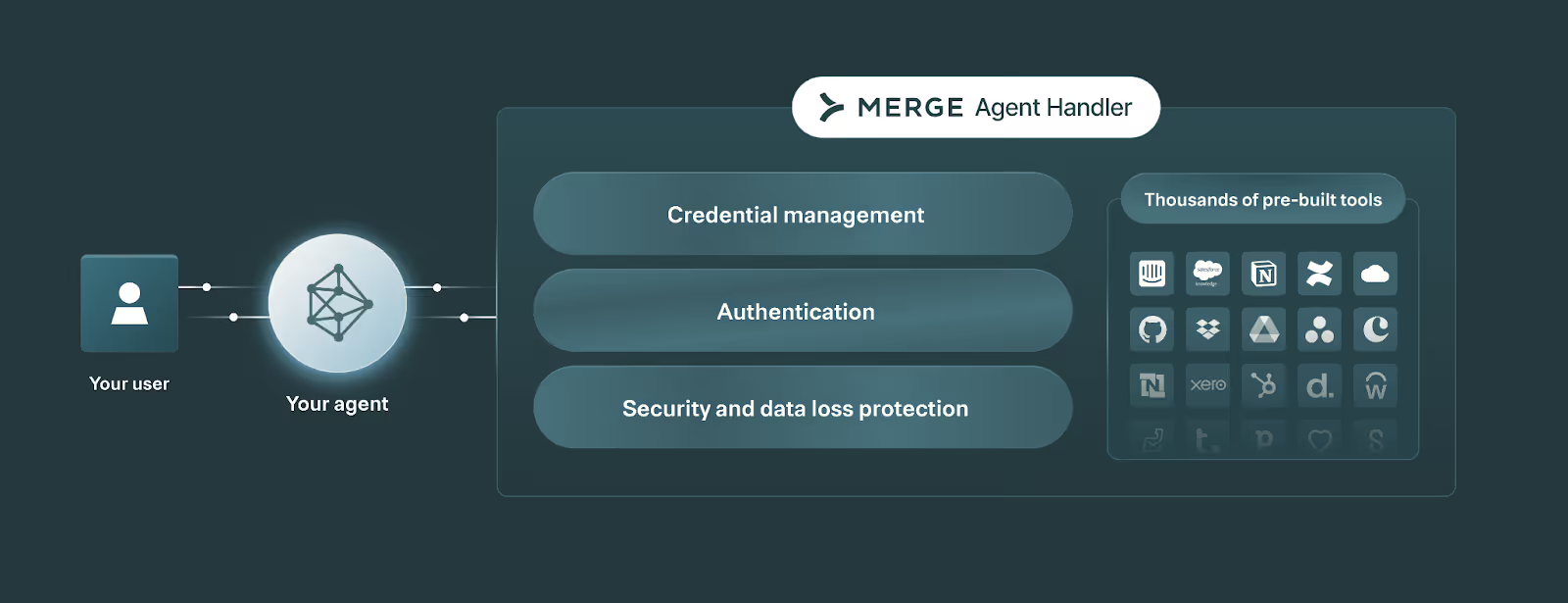
Merge Agent Handler consists of:
- Registered users: Identities in Merge Agent Handler that represent the end users or service accounts your agent acts on behalf of. These are effectively the containers of credentials used to isolate access to third party systems
- Tool Packs: Configurable bundles of connectors and their specific tools (which expose data or functionality from the underlying third party system). When you call “List Agent Handler tools”, the tools defined in a Tool Pack are returned
- Connector Studio: A workspace for creating, editing, and maintaining connectors and their tools. As you’ll see later in this article, you can even leverage AI to auto-generate connectors!
- Rules and alerts: Customizable guardrails for tool calls and notifications when something risky happens or breaks
- Fully-searchable logs: End‑to‑end visibility into every tool call—and underlying API request—your agents make
- Evaluations Suite: Test and validate tools and connectors before they’re used by agents in production
We’ll dive deeper on these components later.
Related: How to govern AI agents
How Merge Agent Handler plugs into your agentic workflows
Here’s a closer look at how Merge Agent Handler works:
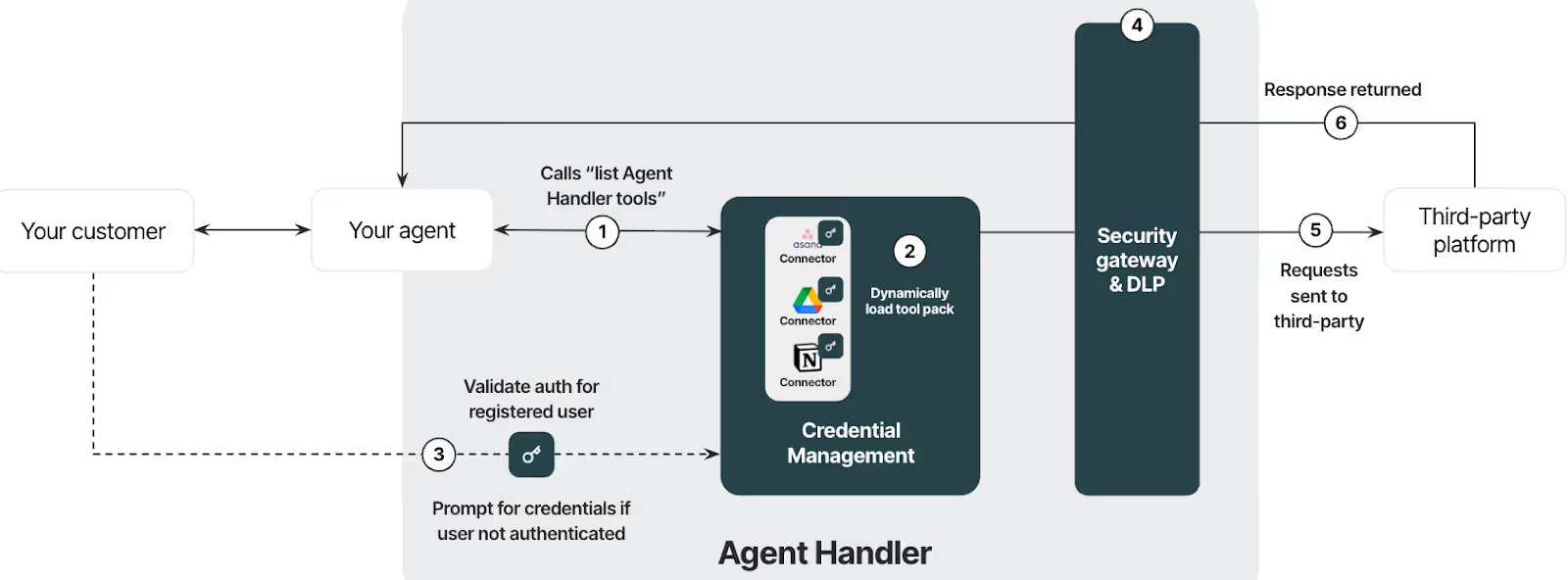
1. A user would prompt your agent, leading your agent to call “list Agent Handler tools.”
2. The list tools endpoint will dynamically load the tools in the tool pack.
3. Merge Agent Handler checks whether the registered user has credentials to access the third-party system. If not, the user is prompted to connect via Merge Agent Handler Link.
4. After successful authentication, Merge Agent Handler executes authenticated tool calls. All tool call arguments are routed through the security gateway to detect and block sensitive data (e.g., preventing SSNs from being sent as ticket descriptions).
5. The tool call is fully executed and the underlying requests are made to the third party platform.
6. Responses pass through the security gateway for sensitive data again before getting sent to your agent. Your agent can then return the response and outcome back to the user.
Deeper dive on Merge Agent Handler’s core features
Let’s break down the key features Merge Agent Handler offers.
Enforce least‑privilege access per identity by registering users
A registered user is an identity record that your agent acts as when accessing tools.
Essentially, it’s a container for credentials tied to a unique end user or service account. The container can start empty and fills up as that identity authenticates to different systems.
Because credentials live inside the registered user “container,” you can separate access per person or per service account, and let each identity only accumulate the authorizations it truly needs over time.
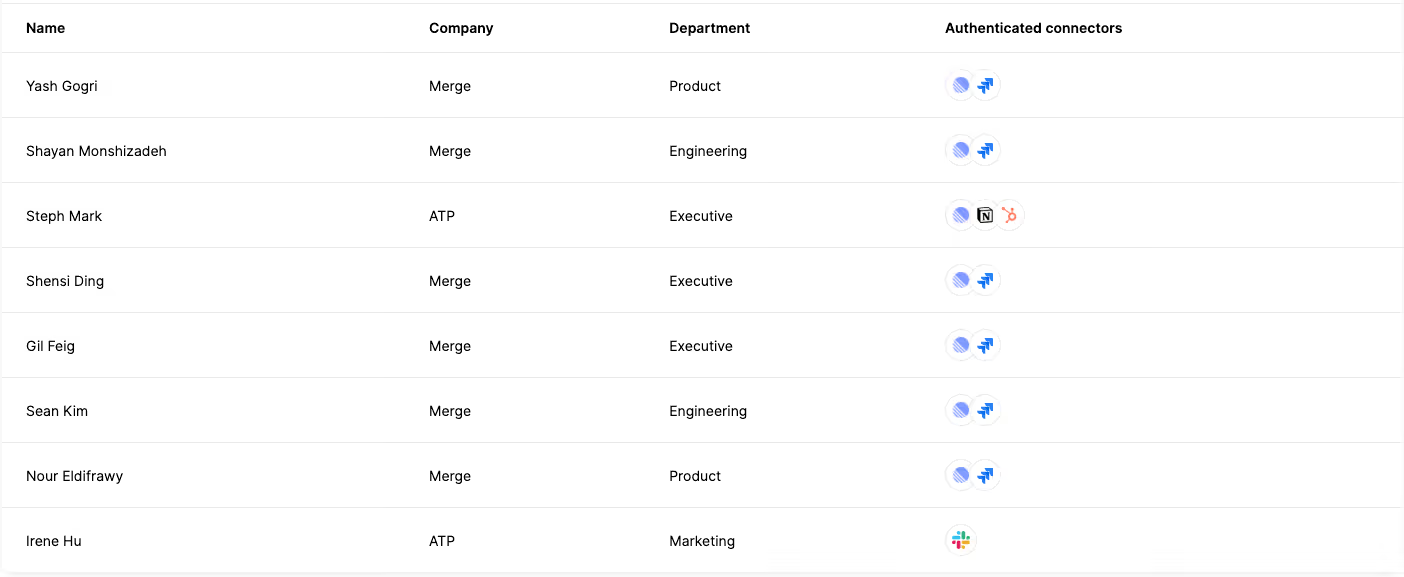
This model also supports progressive enablement: as an end user or service account authenticates additional tools, those credentials are added to the same registered user without rework.
Build Tool Packs to give AI agents fine-grained access to connectors and tools
To ensure your AI agents only access certain connectors and tools, you can configure and assign them with Tool Packs (registered users will still need to authenticate to each connector in the Tool Pack).
Think of Tool Packs as ready-made solutions for specific agentic use cases. Each pack should include all the connectors and tools needed to support particular workflows end-to-end.
Say you want your AI agent to gather recently completed product improvement tasks from Asana and Airtable, create a summary page in Notion, and then share that page with executives in a specific Slack channel.
To power this use case, you can build a Tool Pack with connectors like Asana, Airtable, Notion, and Slack, and use tools like list_records (Airtable), list_tasks or get_task (Asana), create_page (Notion), and post_message (Slack).
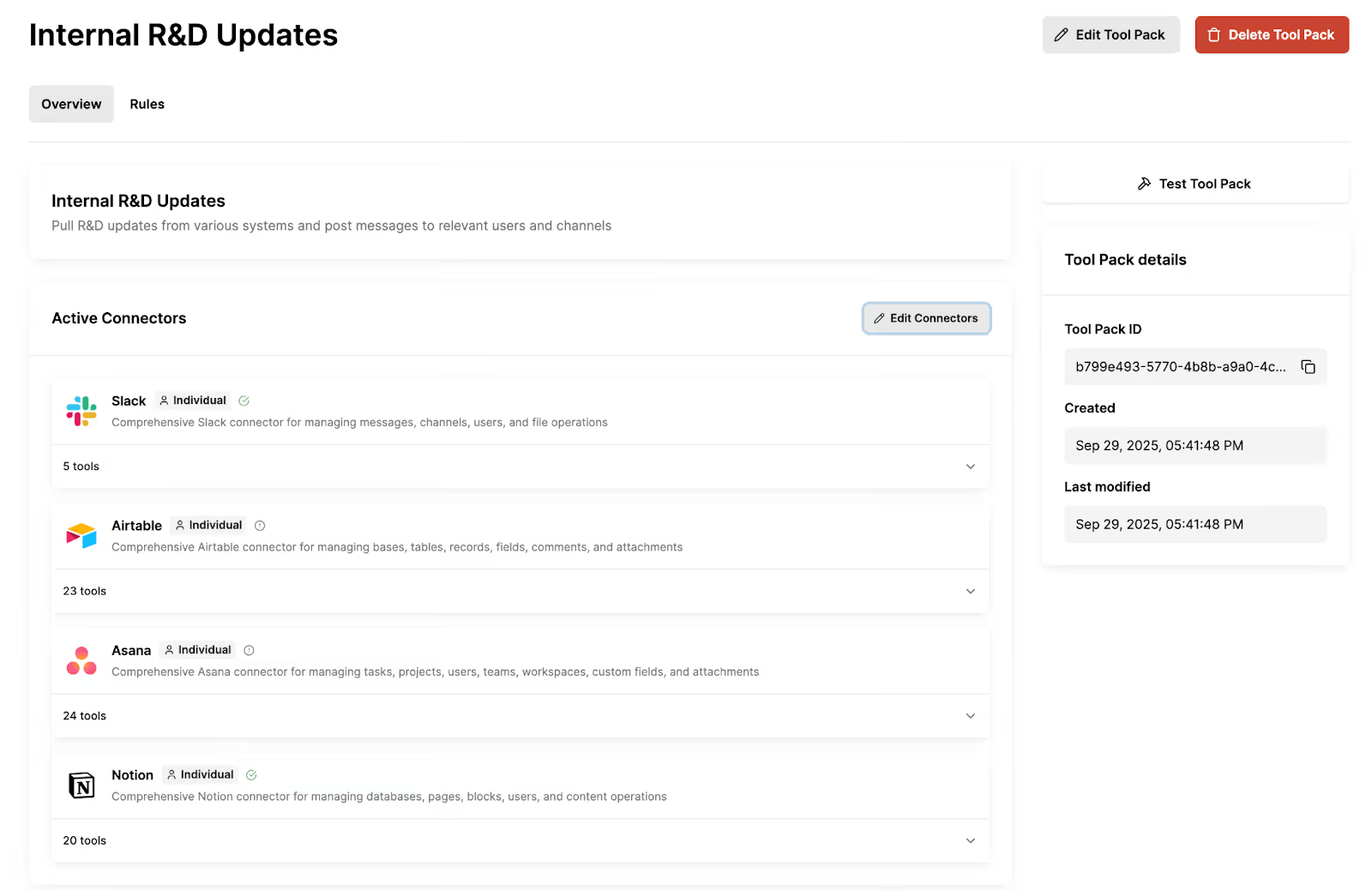
For any Tool Pack, you can also:
- Assign an individual or shared authentication scope to ensure permissions meet your use case
- Test your Tool Packs to validate the authentication and data flows
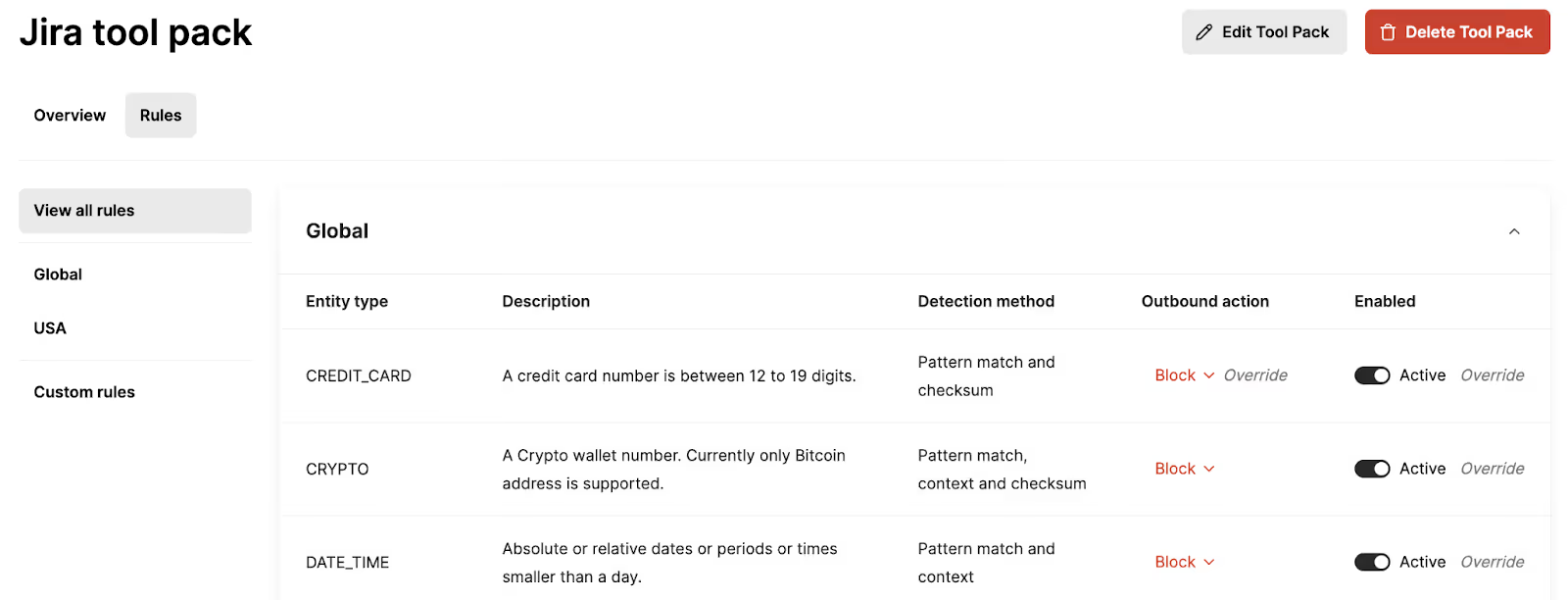
- Assign rules that control how AI agents interact with certain types of data from a tool call
Add connectors and build any with ease via Connector Studio
Merge Agent Handler offers dozens of out-of-the-box connectors (this list will continue growing over time) and thousands of tools across them.
You can use the tools from these connectors as is or modify and add to them.
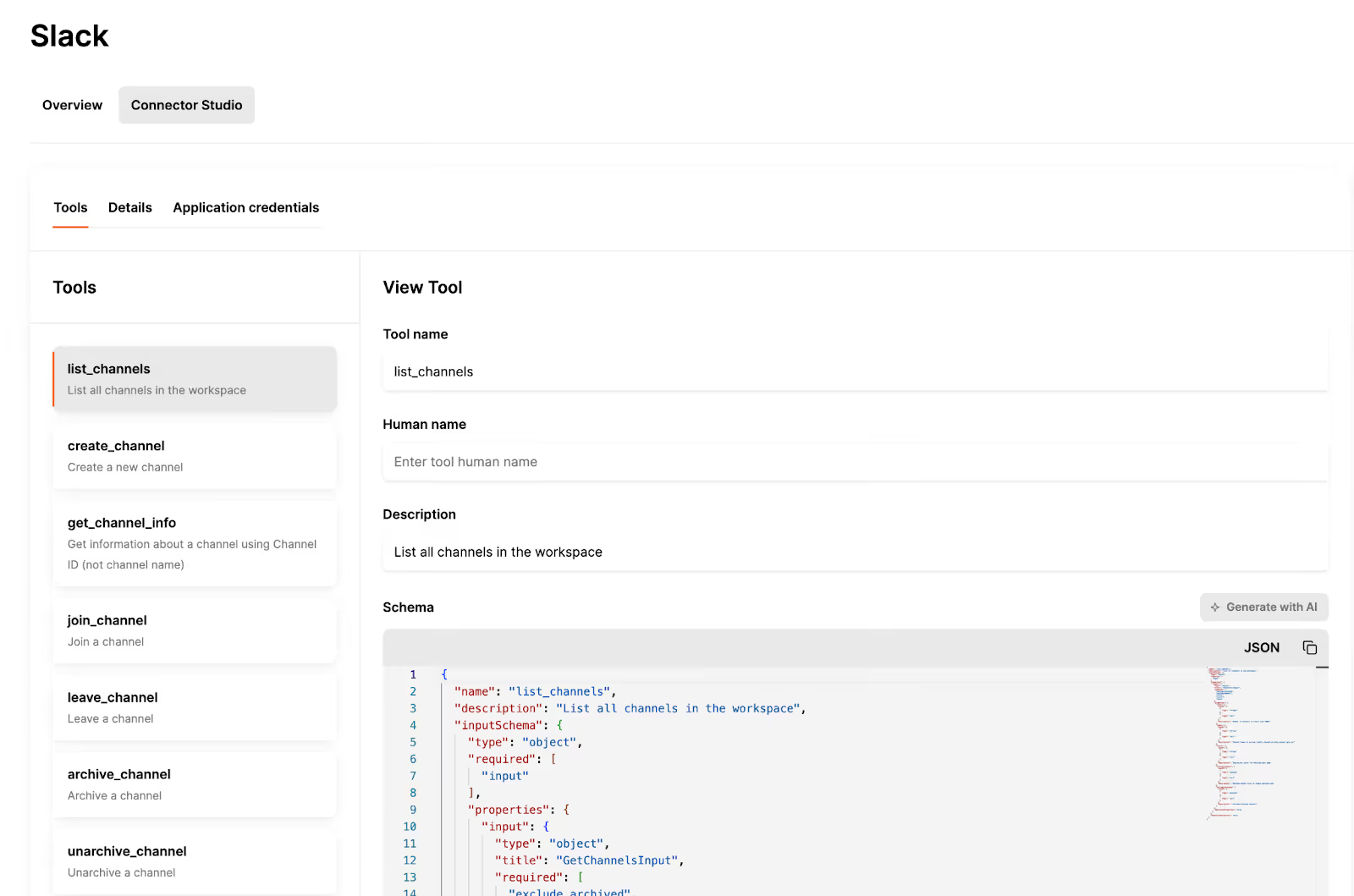
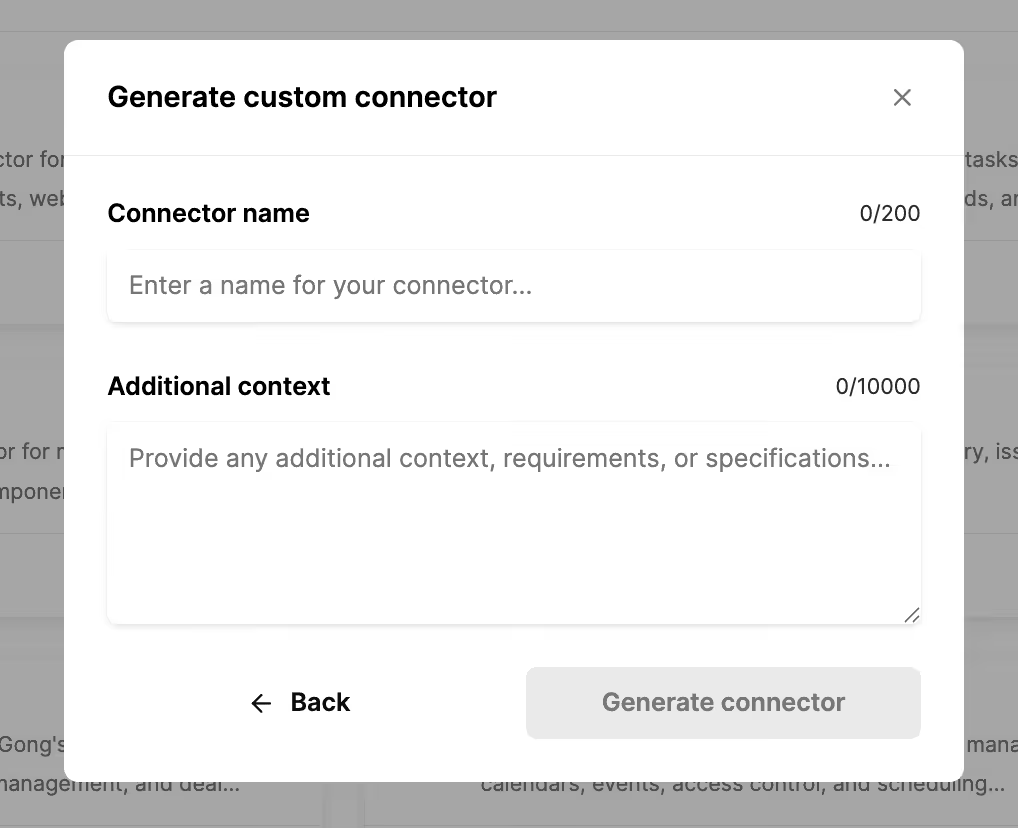
You can even add a new connector by pasting in the API documentation URL or the GitHub URL. We’ll then use AI to auto-generate the connector on your behalf, and our team will go on to review the connector shortly afterwards to make sure it’s production-ready.
Access a full suite of features to secure and observe your AI agents’ tool calls
You can set custom rules for your organization and/or Tool Packs, and monitor potential rule violations over time. This includes visibility on when a rule violation occurred, the user or account it’s associated with, and the tool call that was made.
You’ll also get access to tool and API requests logs that can be searched by registered user, Tool Pack, connector, and more.
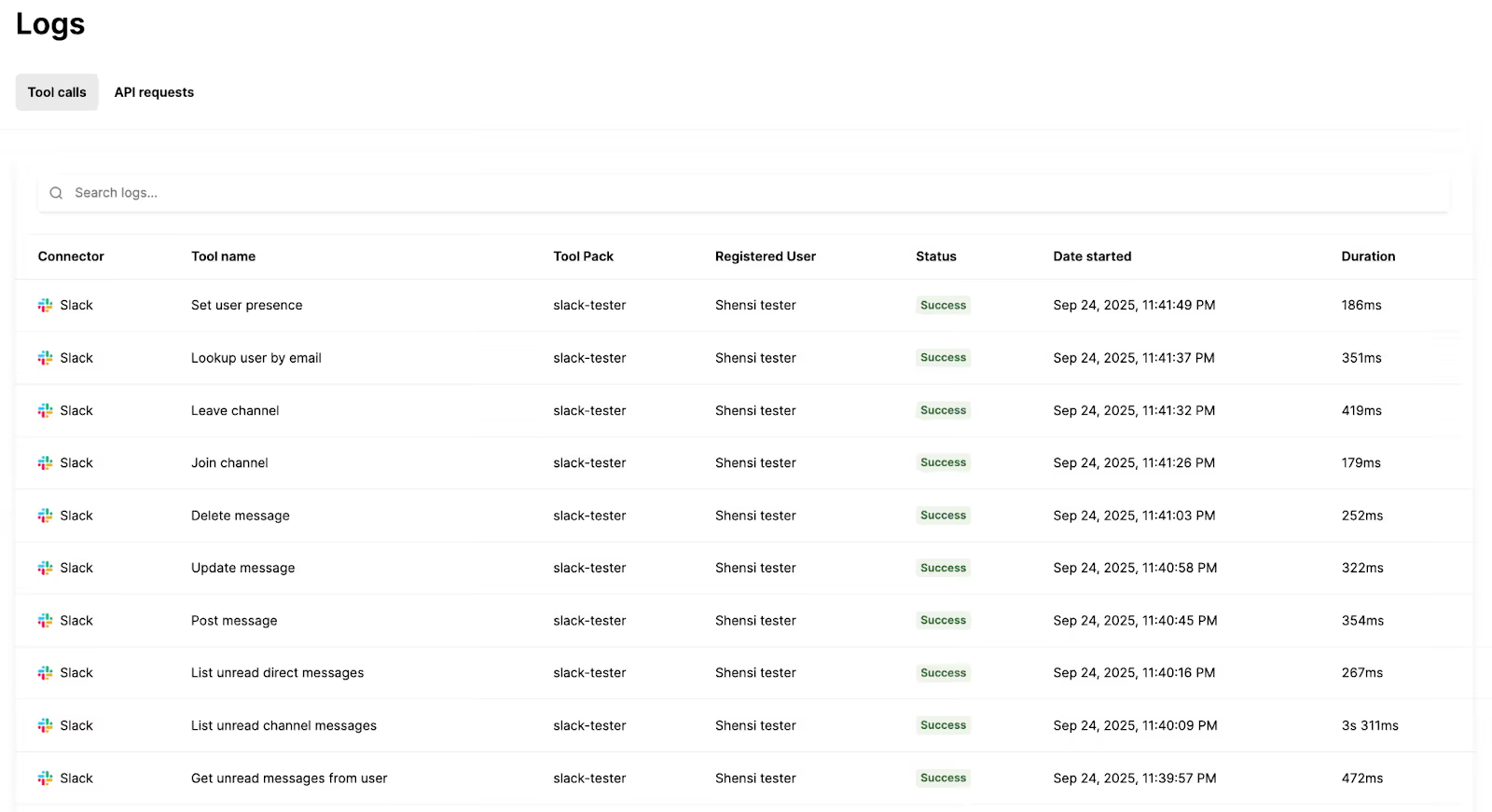
Each log includes all of the details you’d need to review and troubleshoot issues, such as the connector that was used, the status of the call, how long the call lasted, and the tool arguments and returned JSON. You can even see the underlying API request logs for tool calls for additional visibility.
Rigorously test agent tool calls end to end
Merge Agent Handler’s Evaluations Suite lets you run structured evals against realistic prompts and test cases to verify accuracy, reliability, and performance—allowing you to catch issues early and ensure tools deliver expected outcomes.
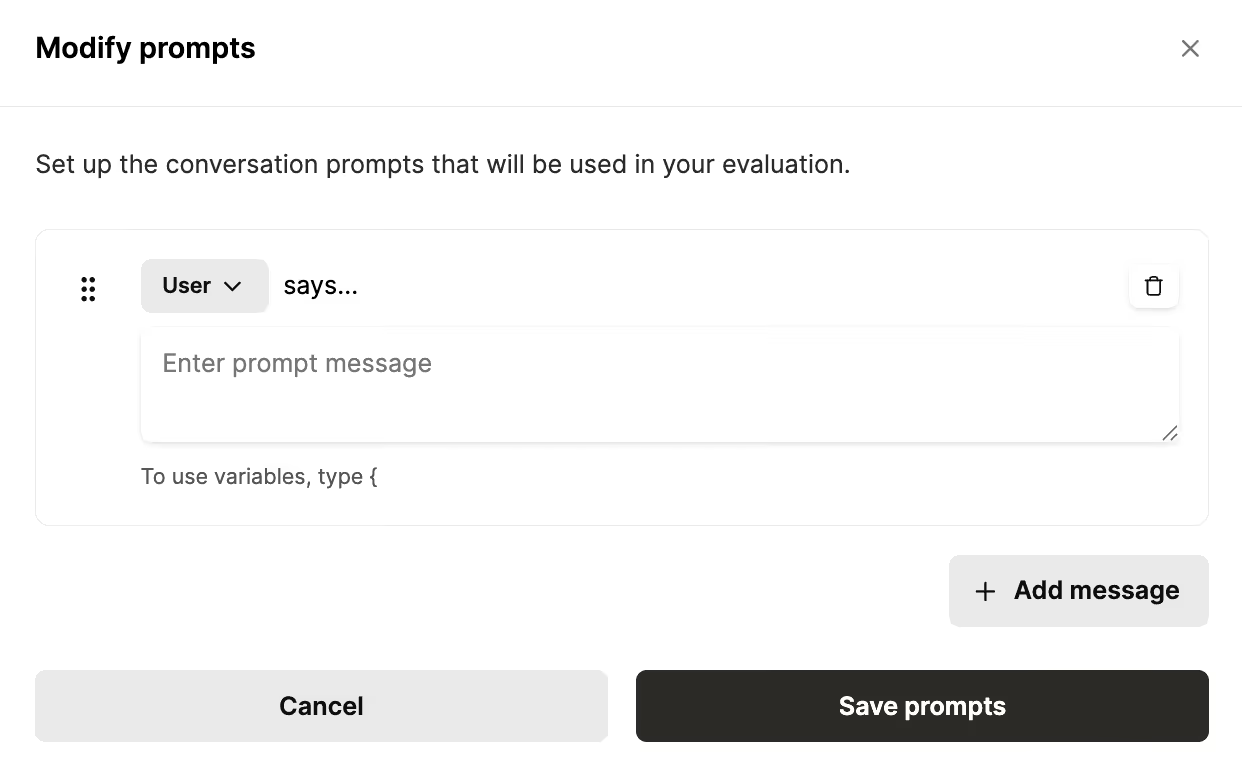
You can also create tests that span multiple dimensions—connectors, registered users, and Tool Packs—to confirm that tools behave as expected across prompts and auth states.
How to use Merge Agent Handler
Merge Agent Handler can support any AI agent you build—whether it’s supporting your employees or your customers—so the sky is the limit on how you use it.
That said, here are a couple of use cases we’re seeing from early customers.
Task AI agents with completing customer asks
Your customers can ask your AI agent to complete a task in another app and your agent can use the customers’ inputs and available tools to call the appropriate one.
For example, if a customer wants to create an issue based on data they’ve found in your product, they can provide context on the problem to your AI agent and ask it to create an issue in their project management tool.
Using the customer’s saved Linear authorization (assuming they use Linear), your agent would call the Linear connector’s create_issue tool and create the issue in the correct workspace and project with the right permissions.
Take mundane tasks off employees’ plates
Merge Agent Handler can let your employees avoid routine, tedious tasks and allow them to focus on the more strategic work they enjoy.
For example, you can integrate your internal AI agent with Merge Agent Handler’s Google Calendar connector and set up this workflow: when an employee needs to schedule a meeting, they tell the agent who to invite, the meeting length, and the desired timeframe.
Using the employee’s saved Google Calendar authorization, the agent calls get_calendar to check the relevant stakeholders’ availability, and then calls create_event to book a time that works for everyone.
Let your AI agents handle end-to-end workflows
Your teams likely run a variety of important workflows that need to be automated in order to be effective.
Merge Agent Handler lets your AI agents access all of the connectors and tools necessary to build these automations.
Say you want to automate the process of fixing employees’ equipment.
Using Merge Agent Handler, you can connect your AI agents to relevant connectors, like Slack and Jira, and use tools like create_issue, update_issue, list_channels, and post_message to create the following workflow: Once an employee submits an equipment request to your AI agent in Slack, the agent creates a Jira issue and sends a detailed message to the appropriate Slack channel, looking up the channel if needed and executing within your policies and scoped auth.
Start using Merge Agent Handler for free
To see everything that’s possible with Merge Agent Handler, you can create a free account, and follow the steps outlined in the Get started tab. It’ll walk you through registering users, setting up connectors, adding Tool Packs, and prompts to get started quickly.
You can also test Merge Agent Handler in a few ways. For example, you can set up an MCP JSON config file to test Merge Agent Handler locally, or use this GitHub repo to spin up a sample chatbot. And—as we covered earlier—you can test any of your tools through our Tool Pack tester and Evaluation Suite.
We can’t wait to see what you build with Merge Agent Handler!
{{this-blog-only-cta}}
Gil Feig
.png)



Ready to get started with Merge Agent Handler?
Our docs include all the context and instructions you need to start using Merge Agent Handler.


But Merge isn’t just a Unified
API product. Merge is an integration platform to also manage customer integrations. gradient text
But Merge isn’t just a Unified
API product. Merge is an integration platform to also manage customer integrations. gradient text
But Merge isn’t just a Unified
API product. Merge is an integration platform to also manage customer integrations. gradient text
But Merge isn’t just a Unified
API product. Merge is an integration platform to also manage customer integrations. gradient text