.avif)
.png)
How to connect a Pipedrive MCP with Claude Code (4 steps)



Developers building RevOps automations or sales tooling need live Pipedrive data to write logic against: which deals crossed a threshold, which contacts haven't been touched in two weeks, which stages are bottlenecking, and more.
Getting that data currently means leaving the terminal, pulling a filter in Pipedrive's UI, and copying results back manually.
To help your developers query and update Pipedrive records directly from a coding session, we'll show you how to connect Pipedrive with Merge Agent Handler's Pipedrive MCP server.
How it works
Merge Agent Handler sits between Claude Code and the Pipedrive API. You install the Merge CLI, authenticate once, and register the connection with a single command. Agent Handler manages your Pipedrive OAuth credentials so you don't store tokens locally or handle credential rotation.
Here's the command that registers the connection:
Prerequisites
Before getting started, you'll need the following:
- A Merge Agent Handler account
- Claude Code installed (run
claude --versionto confirm) - pipx installed (run
pipx --versionto confirm, or install viapip install pipx) - A Pipedrive account with API access
If you want to connect Merge Agent Handler's Pipedrive MCP with internal or customer-facing agentic products, you can follow the steps in our docs.
1. Install the Merge CLI
Install with pipx: pipx install merge-api

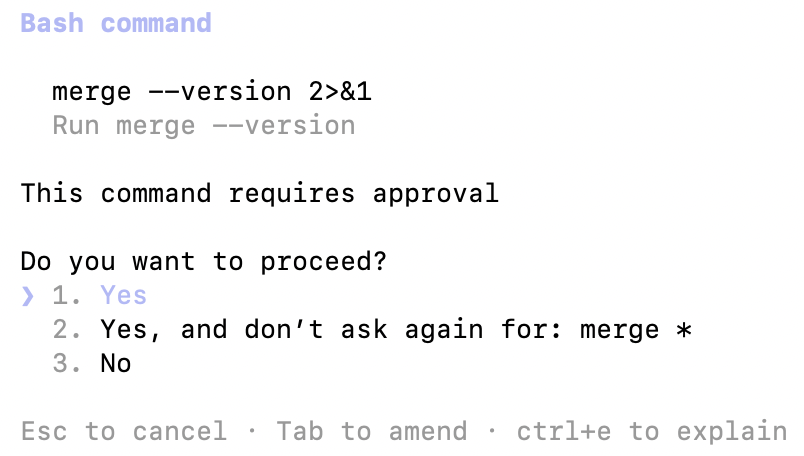
Verify your installation: merge --version
2. Configure the CLI and log in
Run merge login to authenticate your session and link the CLI to your Merge Agent Handler account: merge login
This authenticates your session so the CLI can make authorized requests on your behalf.
3. Add Agent Handler to Claude Code
The simplest way to register Agent Handler with Claude Code:
Alternatively, register manually:
Verify the connection registered. Open Claude Code and run: /mcp
agent-handler should appear under Local MCPs with a connected status.

4. Authenticate Pipedrive
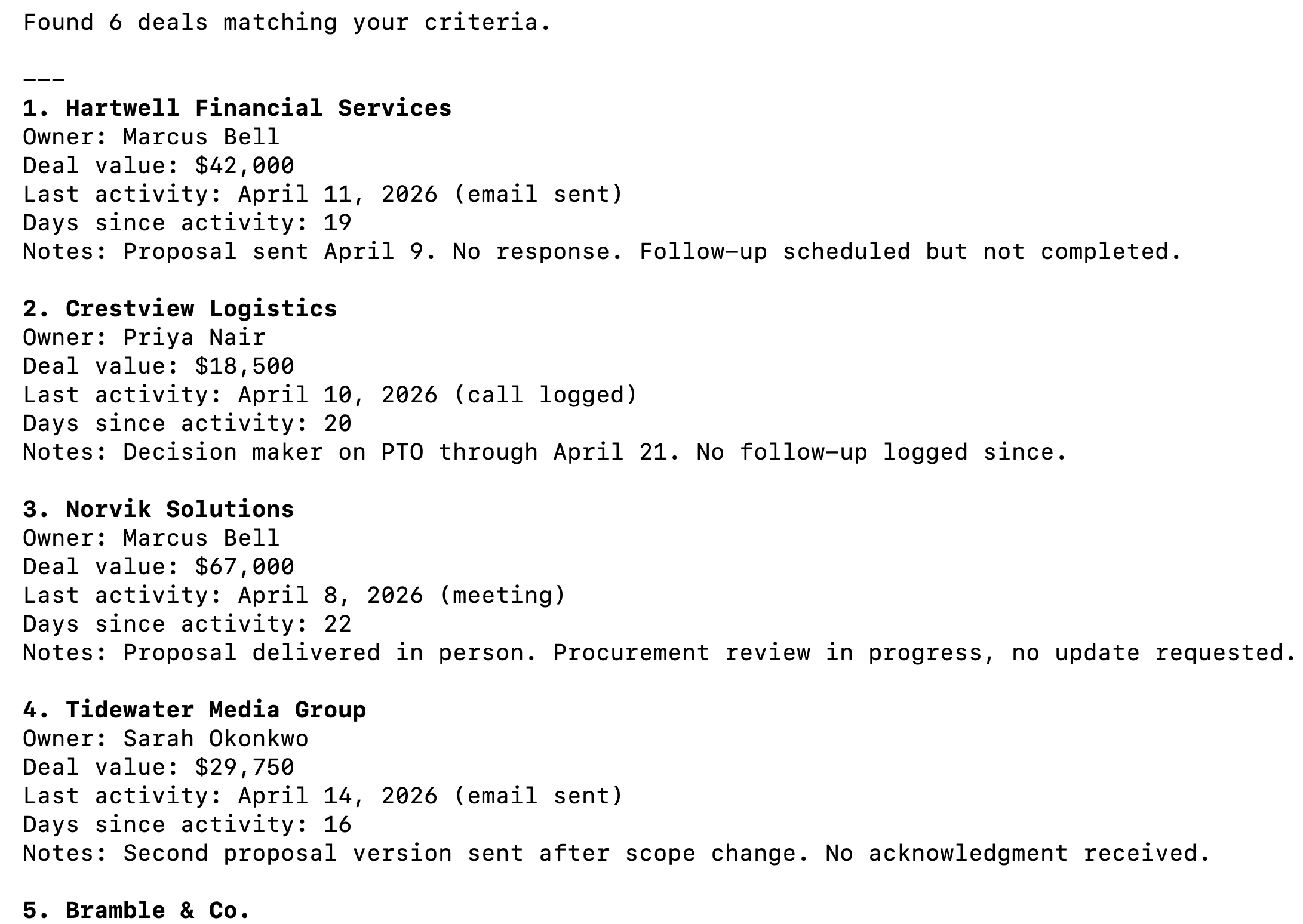
To confirm the connection is working, open a Claude Code session and try: "Show me all deals that haven't had any activity in the last 14 days and are currently in the Proposal Sent stage."
On first use, a Magic Link will appear to finish connector authentication.
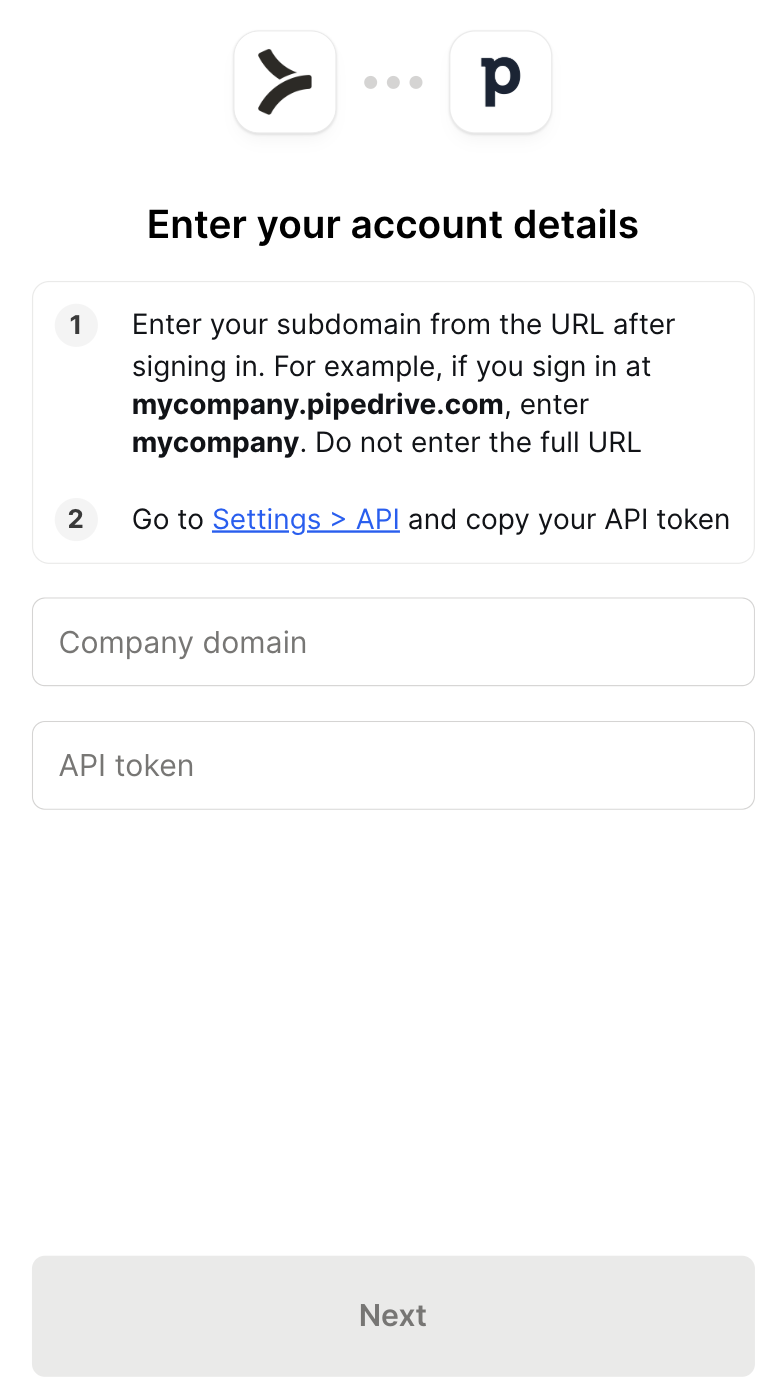
Once authenticated, you should see an output like the following:
{{this-blog-only-cta}}
Pipedrive MCP FAQ
In case you have more questions on setting up and using the Pipedrive MCP in Claude Code, we've addressed several more commonly-asked questions below.
What can you do once the Pipedrive MCP is connected to Claude Code?
With Pipedrive connected, Claude Code can:
- Search and retrieve deals: pull deals by stage, owner, pipeline, or value without opening a browser or exporting a CSV
- Query pipeline and stage data: list pipelines, check which stages deals are sitting in, and surface bottlenecks across the funnel
- Look up contacts and organizations: fetch person and company records with full activity history to give agents the context they need before acting
- Create and update records: log new deals, move stage, add notes, or create activities directly from the terminal if write tools are enabled
- Read activity logs: surface calls, meetings, and tasks against any deal or contact to understand what has happened before taking the next step
- Cross-reference CRM data: combine Pipedrive records with data from other connected tools, such as pulling deal details alongside a Slack thread or a Jira ticket in a single session
Why use Merge Agent Handler vs. a self-hosted Pipedrive MCP server?
Pipedrive has a well-documented REST API, which makes it a reasonable candidate for a self-hosted MCP server. For a solo developer writing agents against their own Pipedrive account, that path works: generate an API token, write tool schemas for the endpoints you need, and wire it to Claude Code.
The friction compounds at scale.
Pipedrive API tokens are scoped to individual users, so each developer who needs agent access ends up managing their own token. There's no shared way to control which deals, pipelines, or fields an agent is allowed to touch, and no audit trail showing what the agent queried or updated. When a token needs to be rotated, every developer's local setup breaks until they update it manually.
Pipedrive also has a broad API surface. Covering deals, persons, organizations, activities, notes, pipelines, and stages with correct pagination, field mappings, and error handling is non-trivial to maintain as Pipedrive ships API updates.
Merge Agent Handler centralizes all of that. Authentication is managed once. Each developer gets a Registered User with isolated credentials, so revoking one person's access doesn't affect anyone else. And Tool Packs let you scope exactly which Pipedrive operations each agent can perform, so a pipeline reporting agent never gets access to delete_deal.
Why connect Pipedrive to Claude Code?
Pipedrive holds the data that drives sales execution: which deals are active, which have stalled, what activity happened last, and who owns what. Developers building agents that automate any part of that workflow need live CRM data, and right now that means a browser, an API client, or a one-off script.
With the Pipedrive MCP connected, Claude Code can query deals, surface contacts, and update records without a context switch.
This matters most when CRM data is an input to a larger automated workflow: checking deal stage before sending a follow-up, pulling contact history before drafting an outreach, scanning for stale deals before generating a weekly pipeline report, and more.